RapZap / Guides
The Hotel Lobby AI Prompt, Ready to Copy
The Hotel Lobby AI prompt to copy and paste
We wrote this prompt while trying out image-to-video models that work from one text prompt, before our own generator switched to a multi-step pipeline. Dozens of test renders went into it, tweaking line by line until the orange walls and the hanging mic showed up correctly on nearly every run. Upload each performer’s picture as a reference image, left performer first, then paste the text below:
Music performance clip in 16:9 landscape, filmed as a single uninterrupted shot lasting roughly 15 seconds. Treat Image 1 as the performer on the LEFT and Image 2 as the performer on the RIGHT: they are two different people, not a start frame and an end frame. Both faces and identities must stay recognizable. The pair stand next to each other inside a bright orange recording booth with even lighting, and all visible walls are orange. A single black studio microphone dangles from a thin cable at the top center of the frame, between the two performers, its lower end hanging free. Do not show a microphone stand, boom arm, desk microphone or any furniture. Framing: medium two-shot from the waist up, with a slow push-in. For the entire clip the LEFT performer raps into the microphone while the RIGHT performer dances and hypes next to them with mouth closed. Soundtrack: a newly composed, upbeat hip-hop instrumental. Do not use existing songs or lyrics, and add no logos or watermarks. No additional people and no blended faces.Every video model reads prompts a little differently, so treat this as a first take, not a final one. If your tool offers a separate negative prompt field, move the list of banned items (stand, boom arm, furniture) into it.
What each line of the prompt is doing
Each sentence in this Hotel Lobby AI prompt earned its place by fixing a real failure. The drawing below shows which part of the scene each main instruction controls.
| Prompt line | What it prevents |
|---|---|
| “Treat Image 1 as the performer on the LEFT…” | The two faces melting into one, or the model using the photos as the first and last frame |
| “All visible walls are orange” | The backdrop sliding toward beige, gray or yellow |
| “Dangles from a thin cable at the top center” | A floor stand, boom arm or desk mic showing up instead |
| “Medium two-shot from the waist up, with a slow push-in” | Faces shrinking until nobody can recognize them, or the camera drifting away |
| “An original… instrumental hip-hop beat” | A copyrighted recording sneaking in and getting your post muted |
Lessons from testing the prompt
Version one of our prompt just asked for an orange booth and a mic. Early renders kept slipping: some walls faded to a pale cream, and some takes replaced the hanging microphone with one on a stand. Two changes solved both. We stated that all visible walls must be orange, and we listed every kind of microphone the model must not draw.
An older version of this Hotel Lobby AI prompt, built for Veo 3 Lite and its vertical 8-second clips, passed our frame-by-frame review in 42 of 44 test renders. Both failures were about movement rather than the set. In one, the performers strolled in from the sides during the opening second. In the other, one performer turned away from the lens for a moment. The text above has since been reworked for the landscape 16:9 frame and 15-second length the trend uses now, and that adapted version has not been re-run through the full test.
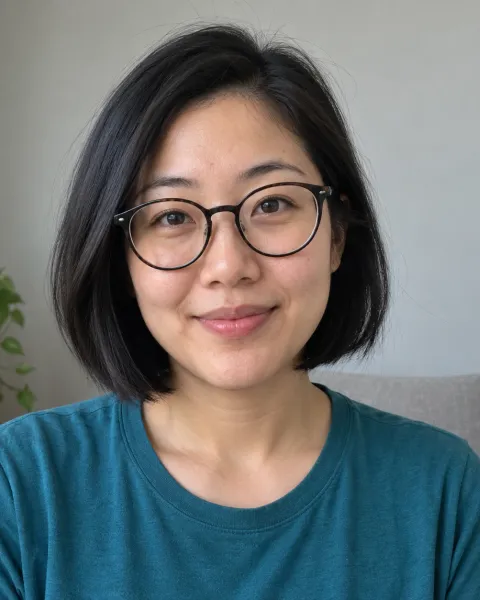
Photo 1raps 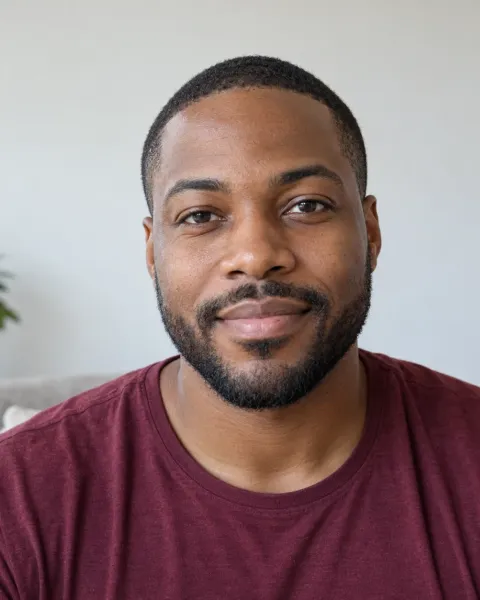
Photo 2dances Two friends, one mic
Photo 1 raps into the hanging mic, photo 2 dances beside her, from two separate portraits. Fictional test portraits, not customers.
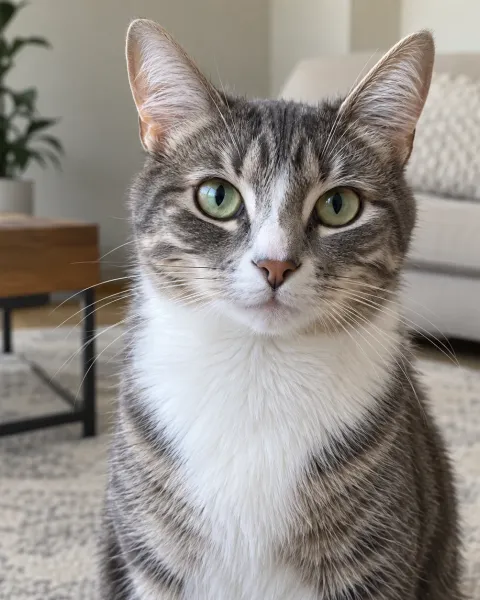
Photo 1raps 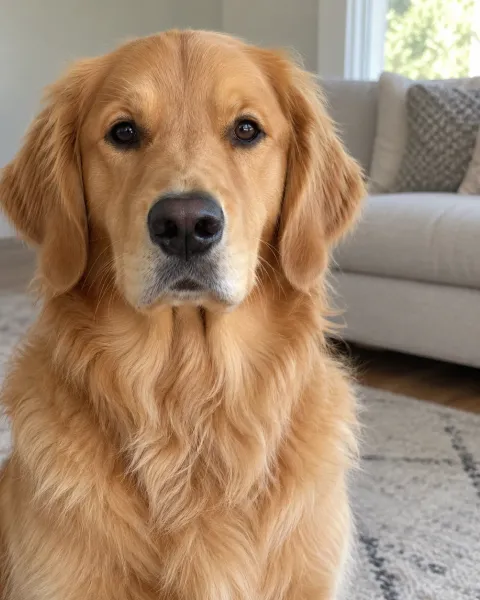
Photo 2dances Cat and dog duet
The cat takes the mic, the dog keeps the beat. Two pet photos, no people at all. Fictional test photos.
Picking reference photos for the prompt
On image-to-video models, the reference photos outweigh the wording. Even a flawless Hotel Lobby AI prompt cannot fix a photo that is dark, soft or shot from the side. Give each performer a crisp head-and-shoulders picture, face toward the camera, evenly lit, with only that one subject in it. Two photos with similar light help the pair look like they are standing in the same booth. Trim away bystanders, captions and stickers before uploading.
Variations that still hold the scene
Leave the backbone of the prompt alone and swap a single line per attempt. These edits came out of our own test runs:
- Pets: name every animal and its side, for example “Image 1 shows a tabby cat standing on the LEFT side; Image 2 shows a terrier on the RIGHT side.” Adding “every animal stays its real-life size and sits up straight” stops a cat from being scaled to human height or rising onto two legs.
- A person plus a pet: say which slot holds the human, as in “Image 1 shows a man on the LEFT side, and Image 2 shows his cat on the RIGHT side.”
- Higher energy: tell the rapper to use “large, swaggering rap gestures with a head nod on each beat”.
- Deadpan mood: ask for “barely moving, slow nods, straight faces”.
Frequent prompt failures and how to fix them
- Just one performer shows up: add “both performers stay on screen together for the whole clip”.
- Faces wander or blend together: switch to sharper, front-facing reference photos instead of writing more.
- A mic stand sneaks in: add “no mic stand, no boom arm, no microphone on a desk”.
- The walls turn some other color: say again that all visible walls are orange, and rule out beige, gray and yellow by name.
- Performers walk into or out of the shot: add “both performers are already in position on frame one, camera locked off”.
- A real song or lyrics appear: request an instrumental beat and write “no lyrics”.
Review the take before you post it
Every take we render from our Hotel Lobby AI prompt goes through this checklist. If one item fails, change a single thing and render again:
- You can recognize both faces, and each performer matches their own photo.
- Photo 1 stays on the left and Photo 2 stays on the right from start to finish.
- Exactly two performers: no stray extra person, fused face or spare hand.
- The mic hangs from above in the gap between them, with no stand and no desk.
- Every wall reads as orange in the first frame, the last frame and everything between.
- The audio is a fresh beat, not a recognizable song with lyrics.
Or skip the prompt altogether
Drafting and testing a Hotel Lobby AI prompt eats time, and each miss on a paid model eats money too. Hotel Lobby is one of the fixed templates on RapZap, and it runs our tested production pipeline for you. You pick two photos and receive a 15-second 16:9 landscape MP4 at 720p for $8.99. There is no prompt to write, no model to choose and nothing to edit, and if a render fails your credits come back on their own.
Make a Hotel Lobby video without a prompt →See every RapZap AI rap video template →
Common questions
What prompt makes a Hotel Lobby AI video?
Ask for two performers next to each other in an all-orange booth, a lone black mic hanging on a cable over the gap between them, waist-up framing with a slow push-in, the left one rapping and the right one dancing. Attach a reference photo for each performer.
Do I need to write a prompt on RapZap?
No. The prompts and settings are already built into the Hotel Lobby template. All you do is upload two photos.
Which AI video models accept this prompt?
Look for an image-to-video model that takes two reference images plus a text prompt. Output differs from model to model, so first check that left and right are correct and that the mic is hanging.
My Hotel Lobby AI prompt keeps giving me a microphone stand. Why?
Lots of models default to a mic on a stand. Spell out that the mic is suspended on a cable above the center of the frame with its lower end loose, then name what it must not be: a floor stand, a boom arm or a desk microphone.
How should I adapt the prompt for pets?
Say which animal goes where, for instance a tabby cat on the left side and a terrier on the right side, then add that every animal stays its real-life size and sits up straight.
Can I ask for the original song in the prompt?
We advise against it. Request an original beat, then add licensed music inside TikTok, Instagram or YouTube when you publish.
RapZap is an independent AI rap video maker. No artist, record label, music show, NPR, COLORS, TikTok, Instagram, YouTube or other brand named on these pages has partnered with, approved or paid for RapZap. Hotel Lobby videos never contain the original Hotel Lobby song. Bulin 47 AI clips are fan tributes built without any original footage or recording, and have no tie to Kevin Wai or Bulin 47. Zombie couple clips are scenes we generate from scratch and have no tie to any app, template or creator connected to that trend. Rumpelstiltskin AI clips are fan tributes made with our own generated barn and dance; they borrow no footage or sound from the meme or from the 1987 film, and have no tie to RiFF RAFF or the people who started the meme. Outstanding Tiny Desk AI clips are fan tributes made with our own generated set and band; they borrow no footage or sound from the NPR performance or the meme, and have no tie to Charlie Wilson, The Gap Band, NPR or its Tiny Desk Concerts series.